
CPE Monitor
Manage CPE Requirements and Stay Compliant With Ease
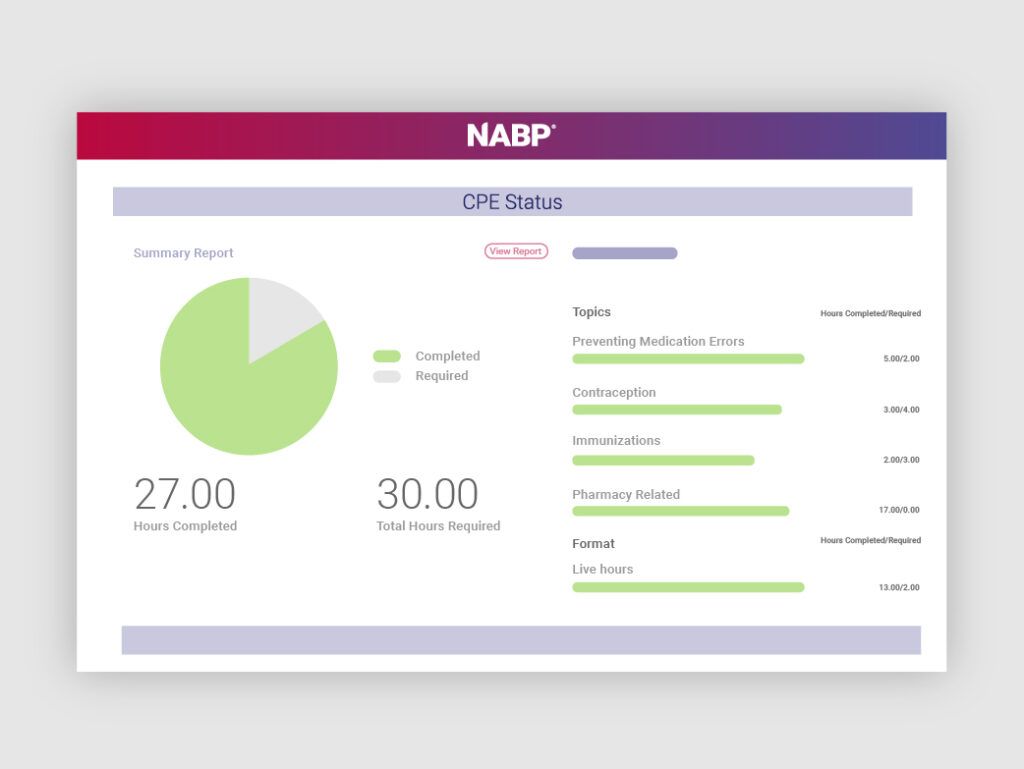
Managing your continuing pharmacy education (CPE) requirements doesn’t need to be stressful. CPE Monitor® helps you stay organized, track your CPE credits with confidence, and stay ready for licensure renewal. Our reliable storage and tracking tool offers advanced, top-of-the-line features, so you can focus on selecting your next CPE activity instead of checking paperwork.
NABP’s collaboration with Accreditation Council for Pharmacy Education (ACPE) and ACPE-accredited providers means your credits will automatically upload to your CPE Monitor dashboard – conveniently storing all your credits in one centralized place. Tracking CPE credits shouldn’t add to your workload. Gain access to user-friendly tools to streamline how you track your credits for licensure renewal.
The CPE Monitor service is provided through the collaborative efforts of NABP, ACPE, and ACPE-accredited providers.



Free CPE Monitor Features
CPE Monitor remains the only CPE tracking service that automatically tracks CPE credits earned from more than 325 ACPE-accredited providers. Whether you’re a recent graduate or a seasoned pharmacy professional, CPE Monitor makes tracking your credits simple.
✓ Simplified CPE tracking
✓ Automatic CPE activity upload
✓ Convenient mobile app
These features come standard for every user, with additional tools available by upgrading to the Plus plan.
Want the Premium CPE Monitor Experience?
Unlock additional tools to help manage your CPE credits by upgrading to the Plus plan. The Plus plan is available for pharmacists for only $15 per year. Whether you have one license or several, access these added features and more for an affordable rate.

Plus Plan Benefits
✓ Change Topics – With the change topic feature, you can easily reassign a topic for completed CPE credits. Once you change the topic, your requirement progress tracking will automatically update.
✓ Upload Non-CPE Credits – Non-ACPE activities offer credit that may fulfill board-approved activities. As a Plus plan user, you can upload non-ACPE credits to keep all your credits in one place.
✓ Download State-Specific Transcripts – See a summary of the total number of hours you have completed, including the number of home, live, ACPE/IPCE, and non-ACPE hours, making it simple to track credits across multiple licenses.
Trusted by more than 25,000 Pharmacy Professionals

Featured FAQs
Get answers to the most common questions about CPE Monitor.
Do I have to pay for CPE Monitor?

The Standard plan is free; however, the Plus plan is available for $15 annually and provides access to advanced tracking and compliance tools. The price for the plan is the same no matter how many licenses you may have or add later. Learn more about the plan features.
How do I upgrade to the Plus plan?
To upgrade to the Plus plan, log in to NABP e-Profile on your desktop, select the CPE Monitor tile, and look for the red upgrade button at the top of the page.
After the purchase process is complete, you will get a confirmation email and can access CPE Monitor from your desktop or via the NABP mobile app for iOS and Android.
How do I add non-ACPE Courses to my e-Profile?
To add a non-ACPE course, Plus plan subscribers should follow the steps below.
- Log in to your NABP e-Profile account and select the CPE Monitor tile.
- On the CPE Monitor page, click Non-ACPE in the top navigation.
- Enter and submit the requested information.

The CPE Monitor service is provided through the collaborative efforts of NABP, ACPE, and ACPE-accredited providers.